Vercel Preview Deployments
Vercel Deployment Protection can show an authentication page before TesterArmy reaches your application. Add a Protection Bypass for Automation token so browser tests can access protected preview deployments.
This is separate from connecting Vercel for automatic pull request testing. See the Vercel integration if TesterArmy is not receiving preview deployments yet.
Create a bypass token
- Open the project in Vercel.
- Go to Project Settings -> Deployment Protection -> Protection Bypass for Automation.
- Create and copy the token.
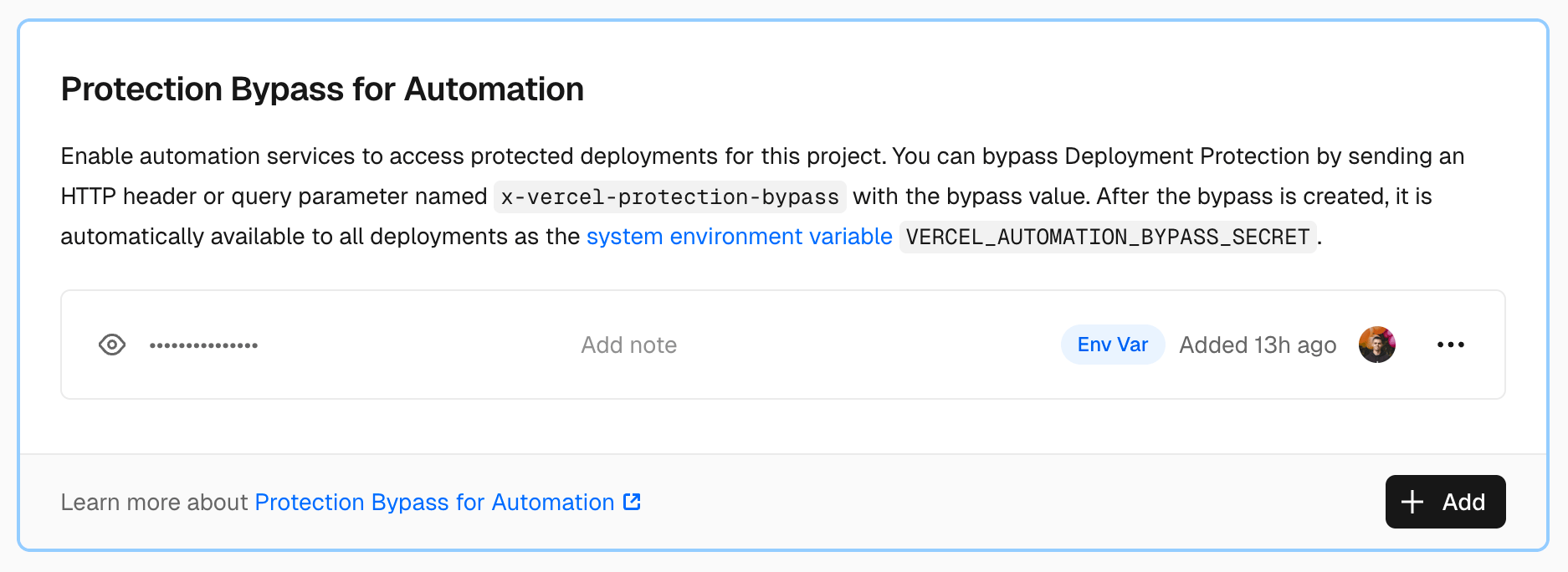
Add the token to TesterArmy
- Open the matching project in TesterArmy.
- Go to Project Settings -> Integrations -> Vercel.
- Connect Vercel and select the matching Vercel project if you have not already done so.
- Paste and save the bypass token.
- Retry a test against the protected preview URL.
TesterArmy applies the token automatically when a web test navigates to the exact deployment host. Vercel sets a bypass cookie on the first request, so later navigation remains authenticated without putting the token in test steps.
The token is not sent to third-party hosts, OAuth providers, or other Vercel projects.
Custom domains
TesterArmy applies the bypass to the host in the run’s target URL. If the run uses a custom domain, confirm that the domain belongs to the protected Vercel deployment and that the run targets that domain.
Troubleshooting
The Vercel authentication page still appears
- Confirm the token is active under the selected Vercel project’s Deployment Protection settings.
- Confirm TesterArmy is connected to the same Vercel project.
- If the token was regenerated in Vercel, replace the saved value in TesterArmy.
- Confirm the run targets the expected Vercel deployment or attached custom domain.
- Retry the run.
Disconnecting Vercel did not remove the bypass
The saved token remains available to web runs until it is cleared. Disconnect the Vercel integration and clear the bypass token to stop using it completely.
Mobile tests
Vercel bypass tokens apply only to browser-based web tests. Native mobile tests do not load a Vercel deployment URL and ignore this setting.
